![logo_mice-portal.png]](https://knowledge.miceportal.com/hs-fs/hubfs/website/layout/logo_mice-portal.png?height=40&name=logo_mice-portal.png)
1. Analytics in MICE Portal
You can find the report-function in the navbar of MICE Portal if you have access to to analytics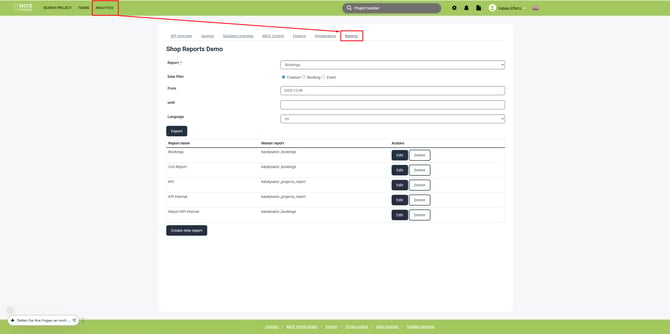
2. Create new report
To create a new report in MICE Portal, click on
Um im MICE Portal einen neuen Report zu erstellen klicke auf "Neuen Report erstellen":
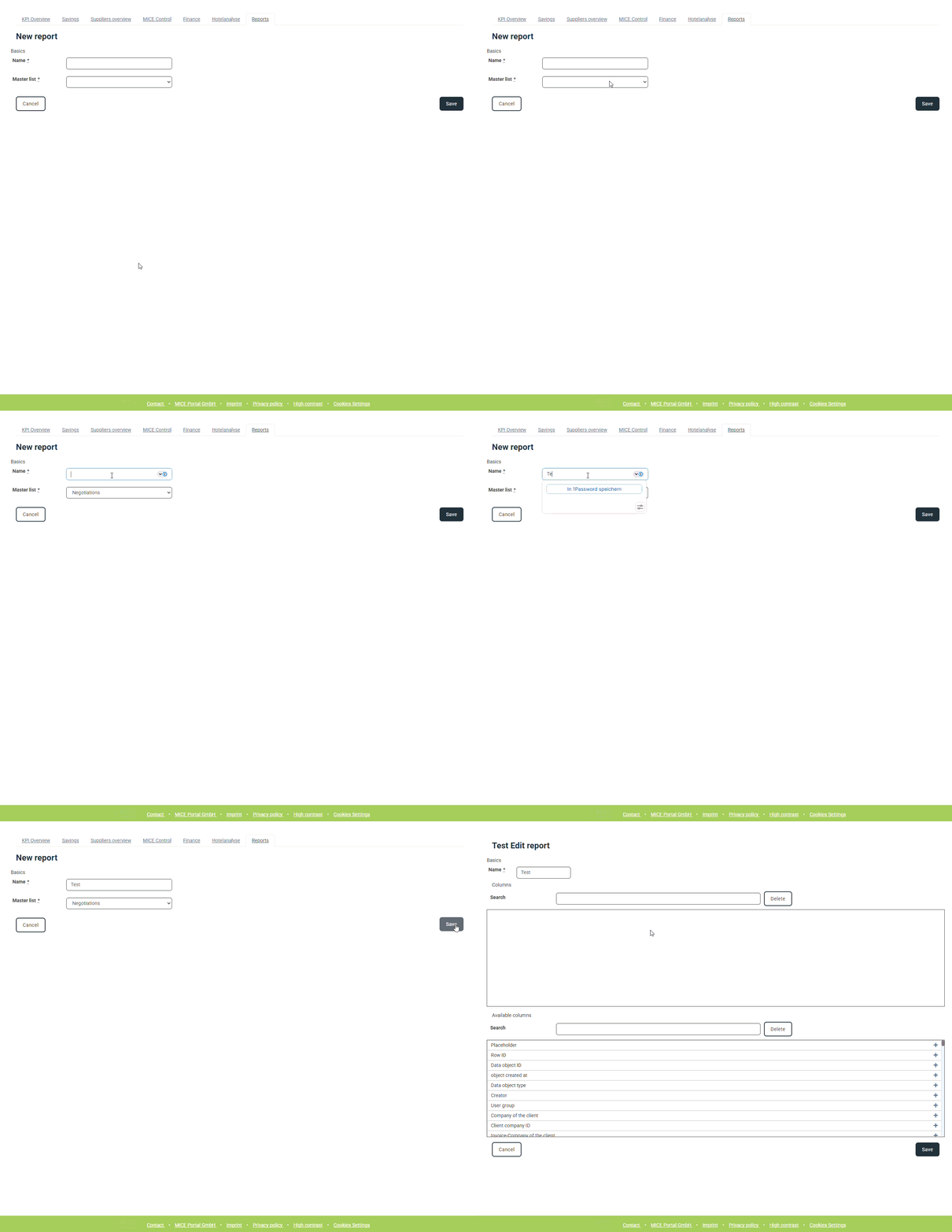
You can find 4 different masterreports available in MICE Portal which can be used to generate your desired report:
| Report | Update interval | Content |
| Bookingreport | Wednesday 00:07 | booked & cancelled offers |
| Projectreport | Thursday 00:07 | All projects with status & offers |
| Negotiationsreport | Friday 16:07 | All requests & offers (incl.. non-booked) |
| Tenderreport |
Following you will see which fields you can add to the report - these vary from project no., title, service type and participants quantity.
Additionally you have fields like e.g. first offer (date), sum of conference services, booking date, creator, supplier, bidaro and more. These field can be different depending on report type.
More information about the available report fields per masterlist as well as noteworthy mentions, you can find on the sub pages:
3. Export report:
Fill out the required fields on the report-page: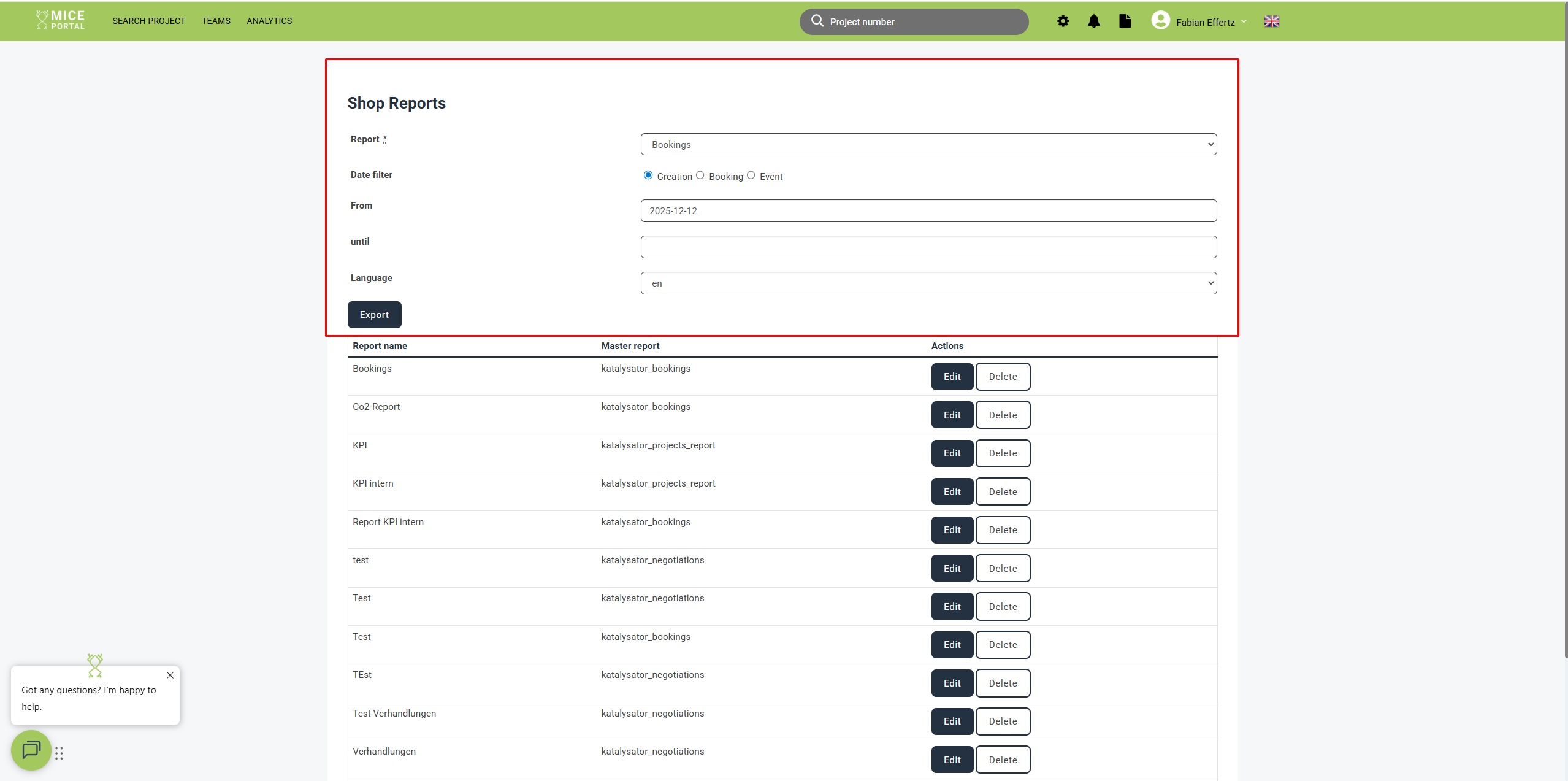
1. Select a report, which you have configured (or jump to 2. and create a new report)
2. Select date filter
3. Select date range
4. Select language
5. Click on "Export"
Afterwards an excel file with your desired columns will be downloaded.
Get a head start on trends, new openings, events and news from the industry. With our MICE News you will receive selected and suitable information directly in your mailbox. You can subscribe directly here: https://blog.miceportal.com/